

Scenario Builder with the Bluejay API
This cookbook covers workflows. Workflows are a great way to test your agent across multiple conversation paths.Scenario Structure
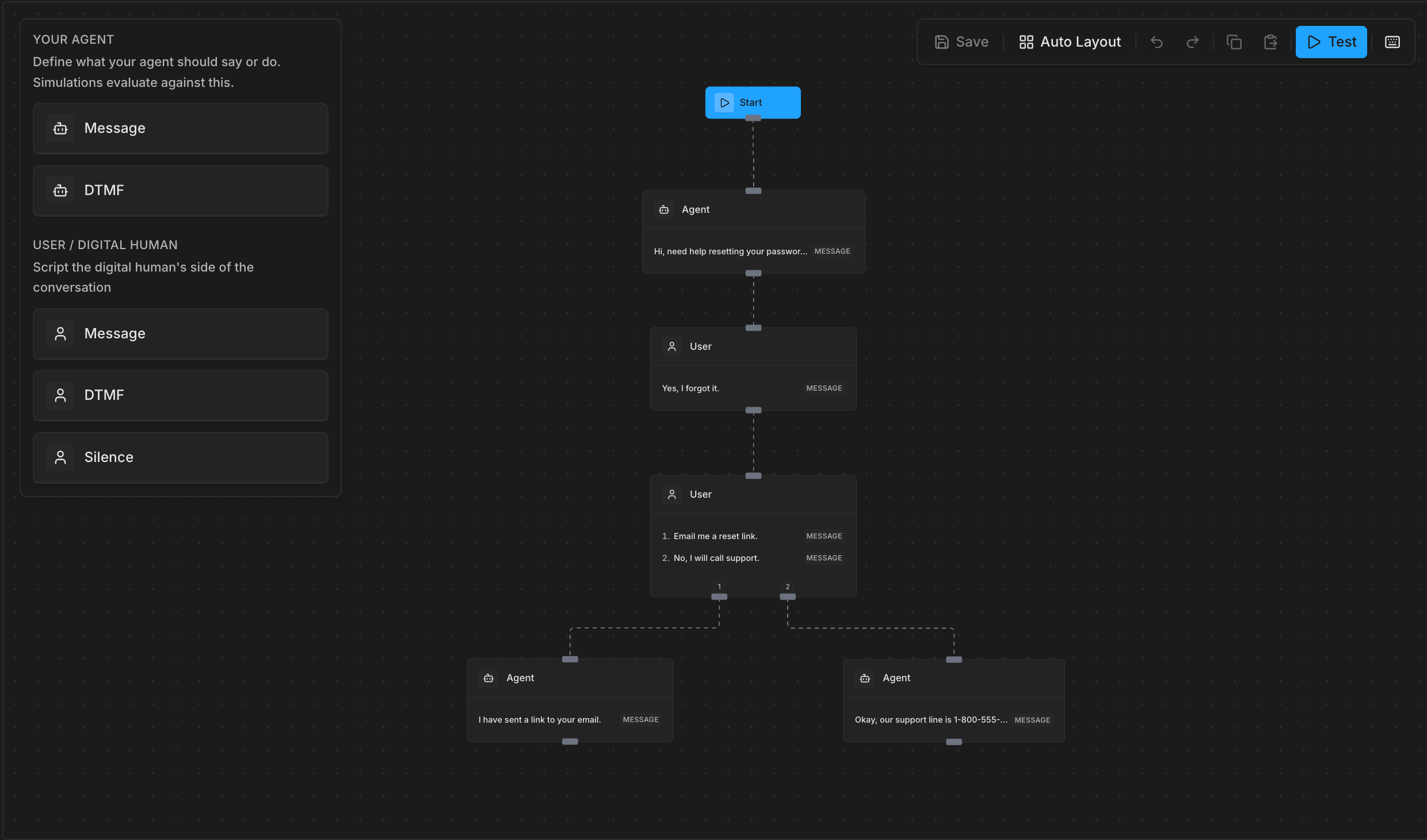
A workflow is a directed graph of agent and user turns.- Agent turns define what your agent should say or do. Simulations evaluate against this to make sure your agent said what it was supposed to.
- User nodes let you define what our Digital Human says during a simulation.
Node Types
start
Every workflow has exactly one start node. It has no data requirements: just an id and type: "start".
single: one conversation turn
Single nodes represent one turn in the conversation, either from the agent or the user. The data.type field controls the turn’s behavior:
The
speaker field defaults to "agent" when omitted.
options: user branch point
Suppose you were testing a workflow where your agent says a phrase like “Press 1 for English or 2 for Spanish”, you would then want to test both cases where our Digital Human presses 1, and the other where it presses 2. You can do this by adding another option to a user node.
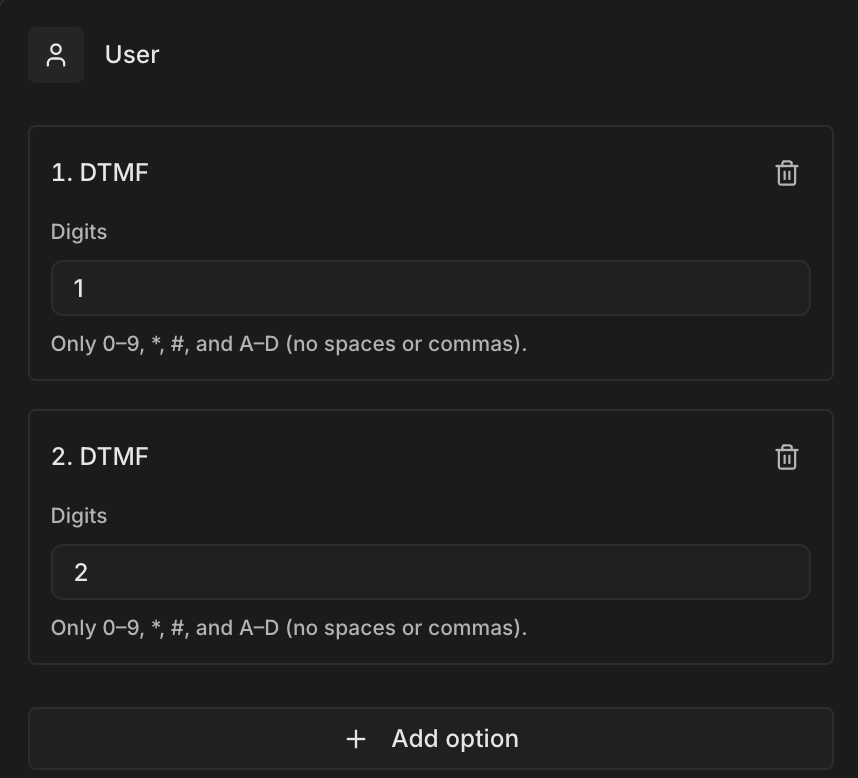
data.branch_options (minimum 2 entries). Options nodes are always user-only.
Each branch option has:
id: a unique string used to match outgoing edges viasourceHandletype:exact,silence, ordtmf(nocontextual)message/duration_ms/digitsdepending on the type
sourceHandle to the branch’s id so Bluejay knows which path was taken.
Workflows is currently for VOICE agents only. Linking a TEXT-mode agent returns a 400 error. TEXT support is coming soon.
Creating a Workflow
Simple Linear Workflow
A straightforward flow: the agent greets the customer, the customer states their issue, the agent resolves it.Show code
Show code
Branching Workflow with an Options Node
This example models an IVR-style menu where the user either presses a DTMF key for customer support or says a phrase to reach billing. Each branch continues to a different agent response.Show code
Show code
The
sourceHandle on each edge must match the id of a branch_options entry on the options node. This is how Bluejay knows which branch a given edge continues.Managing Workflows
List Workflows
Get a Workflow
Update a Workflow
The update is a partial PATCH-style PUT: only fields you include are changed. If you includeagent_ids (even as [] or null), all existing agent links are replaced.
Delete a Workflow
Generating Digital Humans from a Workflow
Once your workflow is created, you can use it to automatically generate Digital Humans, one per unique path through the graph.Show code
Show code
Validation Rules
Bluejay validates your graph when it contains content nodes. A graph with only a start node (or no nodes at all) is saved as a draft without validation, which is useful while you’re building. Once you add asingle or options node, the following rules apply:
- At most one start node: having two or more start nodes is always rejected, even in draft mode
- No directed cycles: the graph must be acyclic
- No orphaned content nodes: every
singleoroptionsnode must be reachable from the start node via edges - Single node rules
data.typeis required (exact,contextual,silence, ordtmf)exactandcontextual:messagemust be non-emptycontextual:speakermust be"agent"(or omitted); not allowed for user turnssilence:duration_msmust be a finite number between 0 and 86,400,000dtmf:digitsmust be non-empty, containing only0-9,*,#,A-D(case-insensitive)
- Options node rules
- At least 2 entries in
branch_options - Speaker must be
"user"or omitted - Each branch type must be
exact,silence, ordtmf(notcontextual) - Each branch needs a unique non-empty
id
- At least 2 entries in
Best Practices
- Keep branch IDs stable:
branch_options[].idvalues are referenced by edgesourceHandle; changing them breaks existing edges