

Set it up
1
Select the card
2
Add the steps
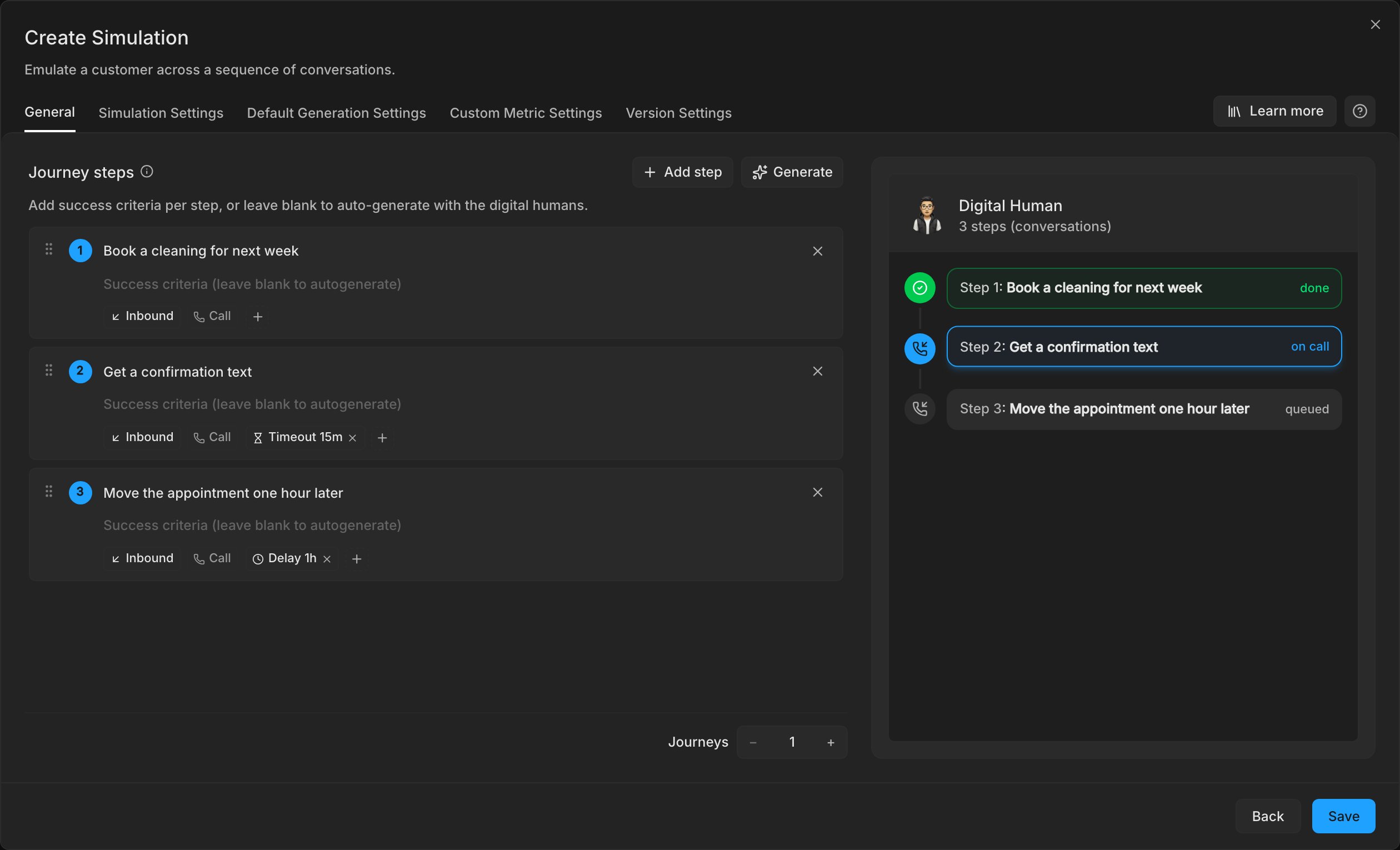
Add one step per conversation, in the order the customer has them. Give each step an intent, such as “Book appointment” and then “Reschedule”. Each journey is one Digital Human that runs every step in order as the same customer.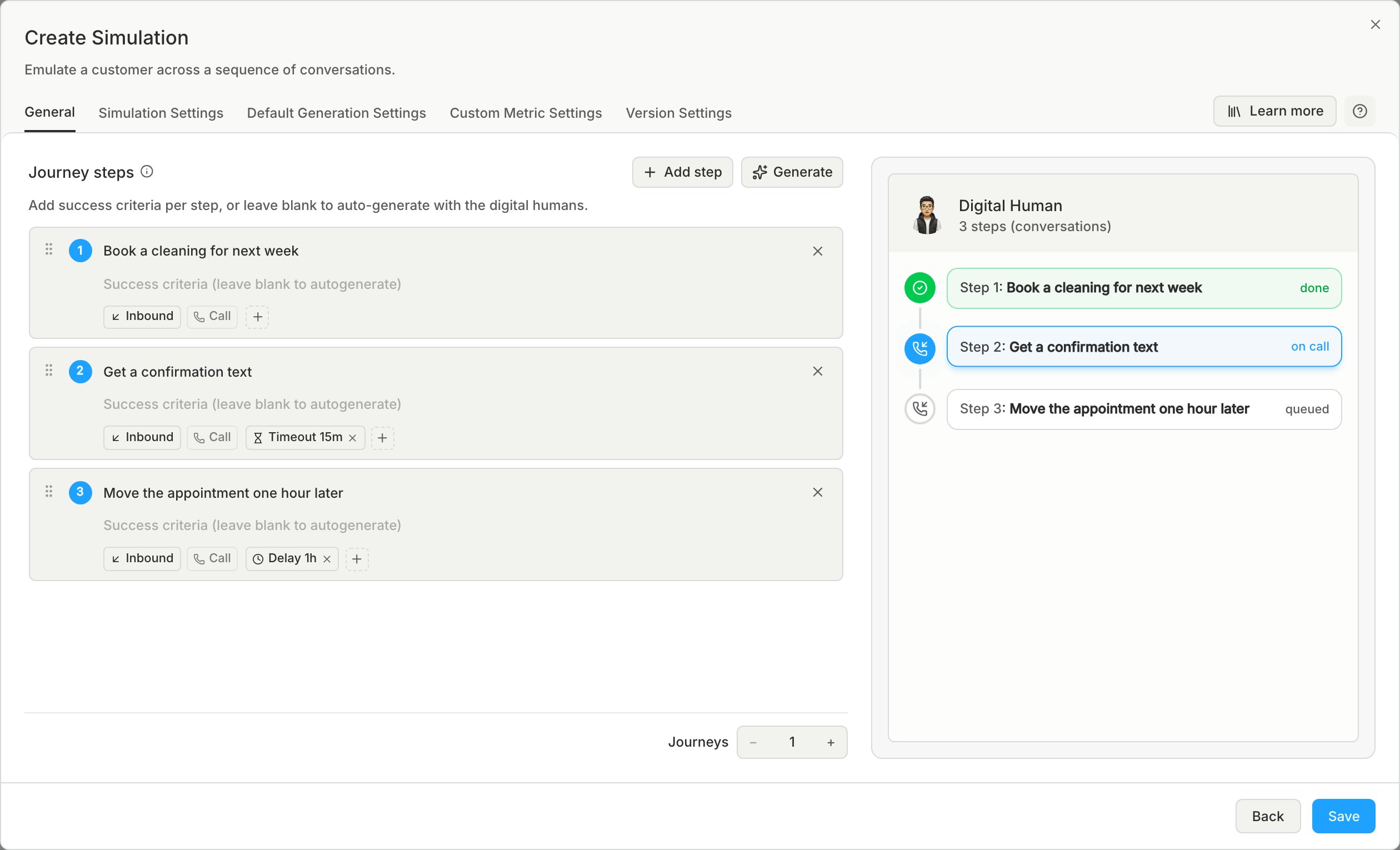
3
Check each step's direction
For an agent on a phone line, a new call step starts in the agent’s own direction. So an outbound agent’s steps start as Outbound. Switch a step to Inbound when the customer calls in.
Results
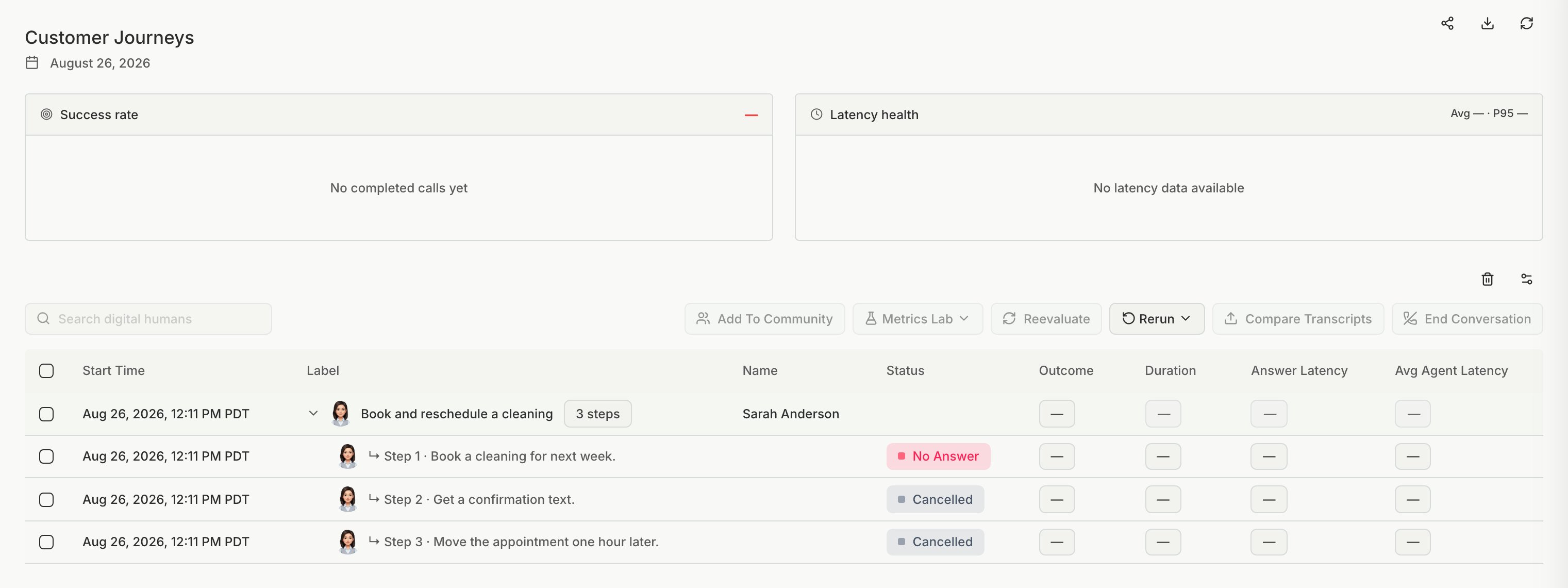
STEP_SKIPPED:
- No Connection
- No Answer
- Call Dropped
- Out of Funds
- System Error
Limits
- An SMS step needs an agent that can send text messages.
- An Outbound SMS step cannot come directly after another SMS step.
- A journey does not run once for each Personality.