

Bluejay has no built-in Genesys Cloud connector. You run a small job that reads finished calls from Genesys Cloud and sends each one to Bluejay with
POST /v1/evaluate.How it works
For every finished call, your job does three things:- Find. Ask Genesys Cloud which calls finished in a time window.
- Fetch. Ask Genesys Cloud for each call’s recording link.
- Send. Post the link to Bluejay. Bluejay downloads the audio, transcribes it, and runs your metrics.
Before you start
- A Genesys Cloud admin who can create an OAuth client and edit Architect flows.
- A Bluejay agent to file the calls under. Use one agent for each line or queue you want to track separately. To tell individual reps apart, see Track individual reps.
- Somewhere to run a scheduled job, such as cron or a serverless function.
Steps
1
Make sure Genesys Cloud records the calls
Bluejay scores the audio, so each call needs a real recording. Turn on recording for the external trunk the calls arrive on.If an Architect flow handles the call, such as an IVR or a virtual agent, open the flow. Go to Settings > Recording and Speech Recognition and clear Suppress recording for the entire flow. Then publish the flow.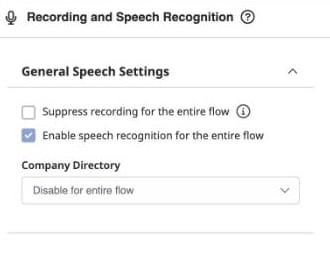
trunk_recording_enabled and trunk_recording_dualChannel.2
Create an OAuth client in Genesys Cloud
The client gives your job read access to conversations and recordings.Search for OAuth and open IT and Integrations > OAuth. Click Add Client.

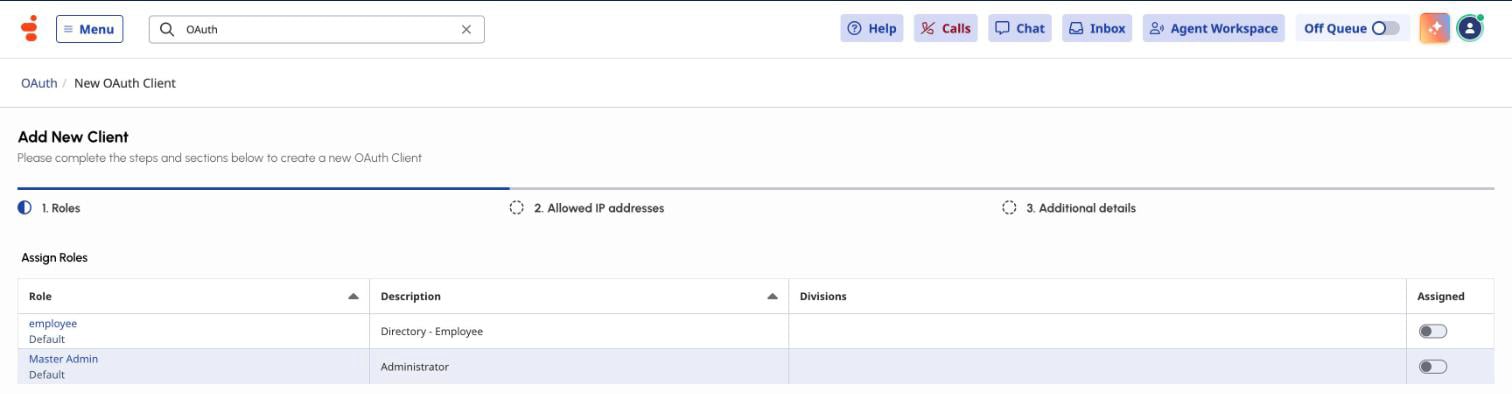
analytics:conversationDetail:view and recording:recording:view. A dedicated read-only role with only these is best. If a request returns 403, the error names the permission the role lacks.3
Create a Bluejay API key and find your agent ID
In Bluejay, open Settings > API Keys and click Create API Key. Copy the key into your secrets manager.
external_agent_id on the agent, you can send that instead of agent_id.4
Find the calls that finished
Get a token with your OAuth client, then query the voice conversations in your time window. Each conversation has a 
conversationId, the same ID the Interactions page shows.conversationId, conversationStart, and conversationEnd. Its participants have sessions that include the caller’s ani. Send only calls that have a conversationEnd.Use short windows, such as one day or less. In our test, an interval longer than about a month returned nothing.5
Get each call's recording link
mediaUri is a signed link. It carries its own access in the Expires, Signature, and Key-Pair-Id query parameters, so Bluejay needs no extra headers. It expires, so send it to Bluejay right away and do not store it.An empty mediaUris can mean that recording is suppressed. Check step 1.6
Send the call to Bluejay
A successful response includes a
call_id. The API allows 100 requests per minute for each organization, or 500 for enterprise accounts.Each request that changes a conversation is evaluated and billed. Bluejay ignores a repeat only when the transcript, transcript link, and recording link are all the same, and a signed link from Genesys Cloud can differ from one request to the next. Use windows that do not overlap, so each call is sent once. See the Logs page for how repeats work.7
Check the call in Bluejay
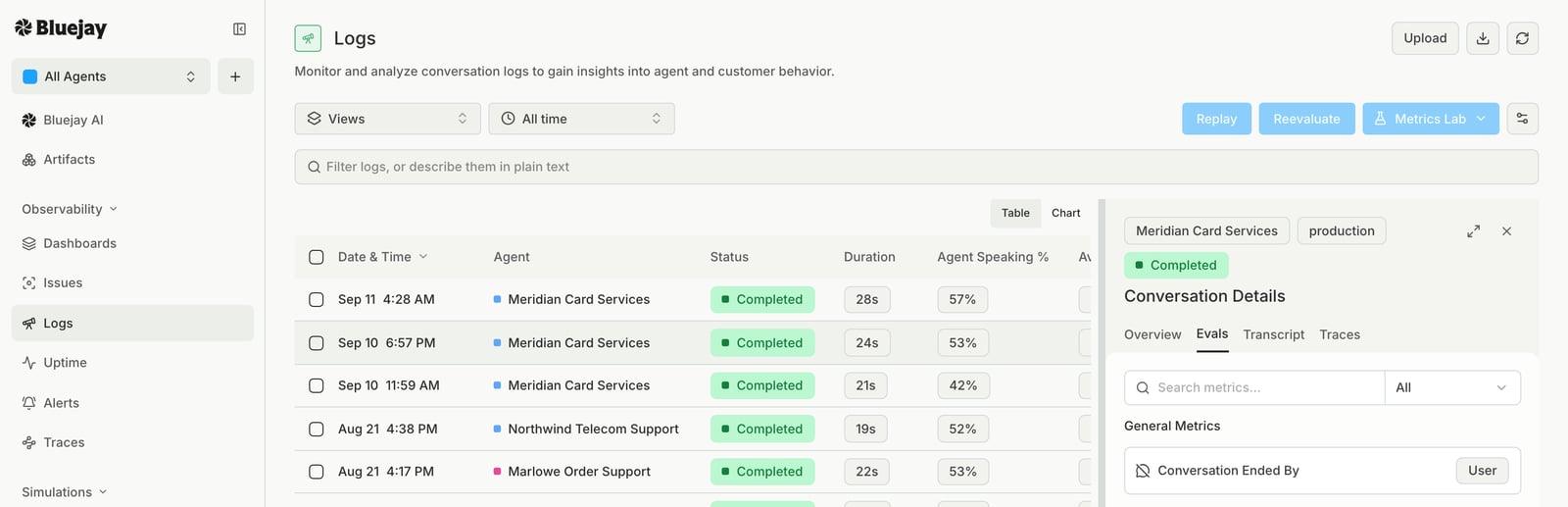
Open Logs. The call appears as a new row under your agent after Bluejay processes the audio. Open it to read the transcript and see each metric’s result.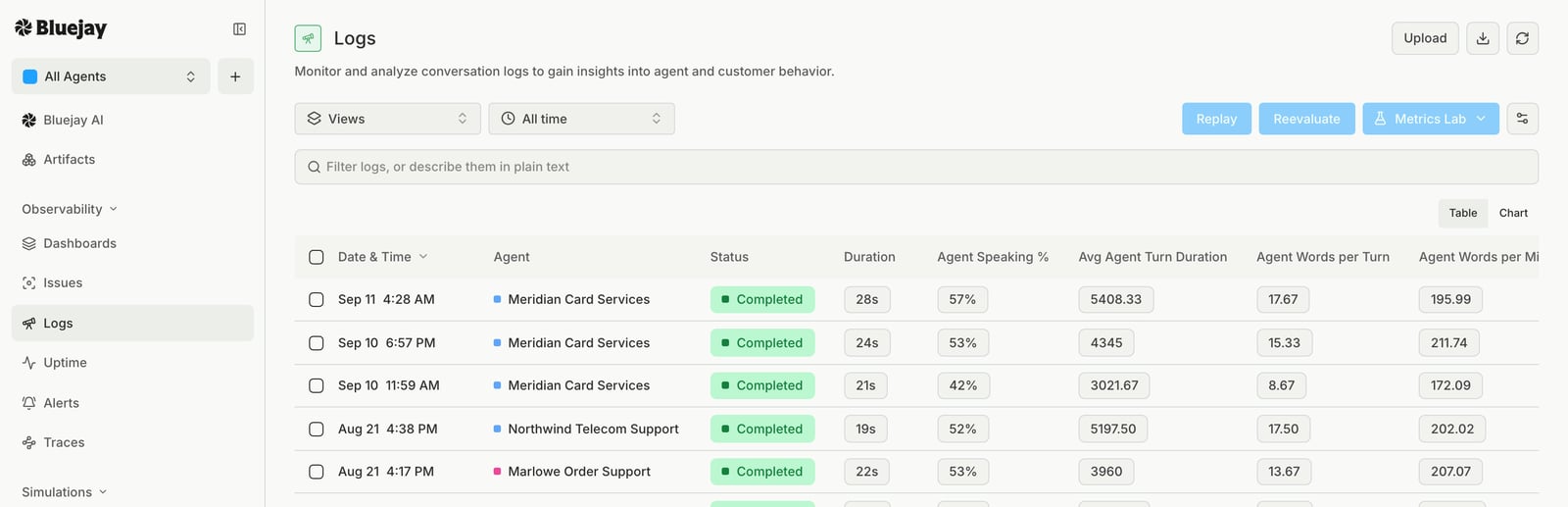
The script
This Python script does steps 4 to 6 for one time window. It uses only the standard library. It reads one page of up to 100 calls, so use windows that hold fewer calls than that. Run it on a schedule, such as every 15 minutes over the 15 minutes that just ended, with no overlap between runs.genesys_to_bluejay.py
genesys_to_bluejay.py
Good to know
- Region. Use your own Genesys Cloud region in the hostnames, such as
mypurecloud.comorusw2.pure.cloud. - Recordings take a moment. Right after a call ends, the recordings request can return
202. The script waits and asks again. - More than 100 calls in a window. Raise
pageNumberuntil Genesys Cloud returns no more conversations, or use shorter windows. - Skipped calls. The script waits about a minute for a recording link. If none arrives, it skips the call and does not try it again in a later window. Run the script again for that window, or send the call yourself.