

POST /chat/completions in the OpenAI format, as agents behind LiteLLM, vLLM, Ollama, or the OpenAI SDK do. This is the wire format, not a ChatGPT agent from OpenAI.
Connect
1
Create the agent
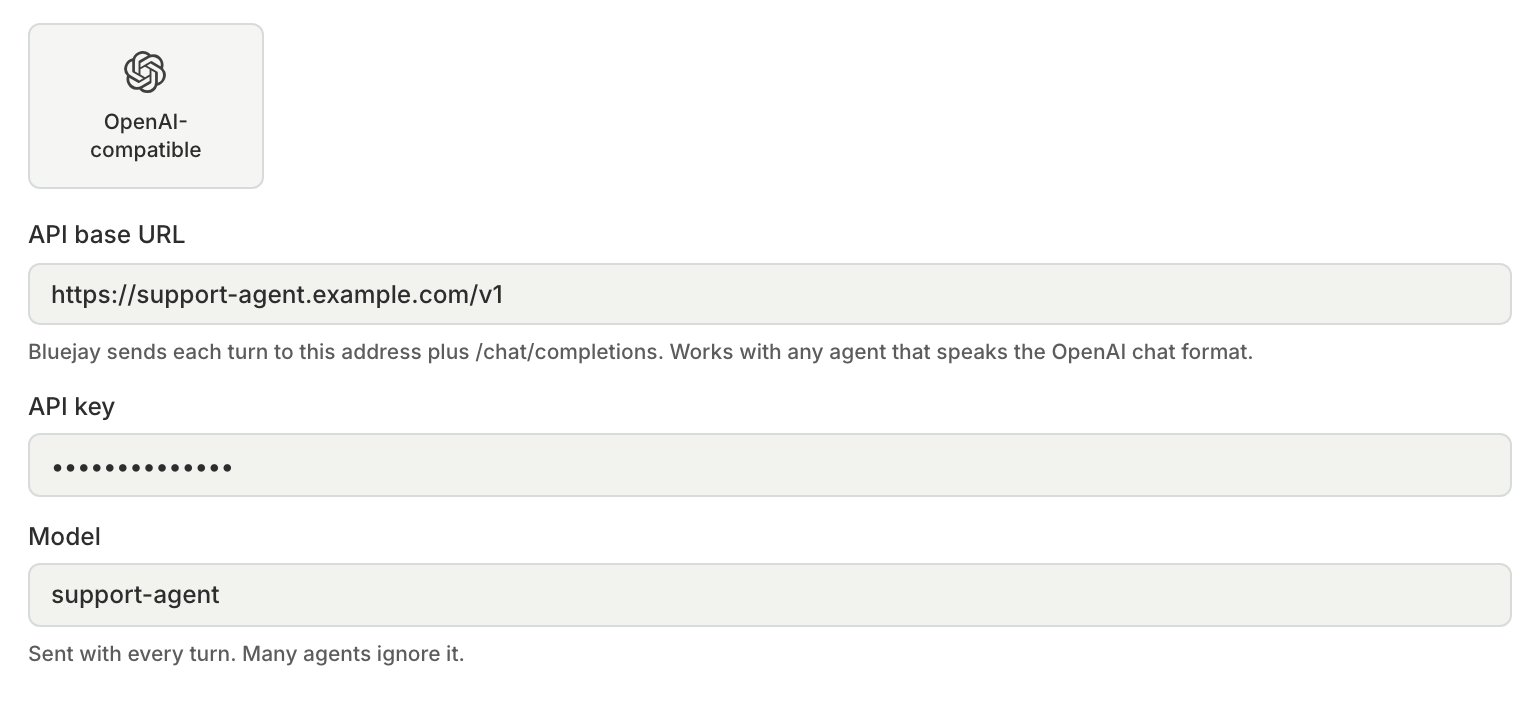
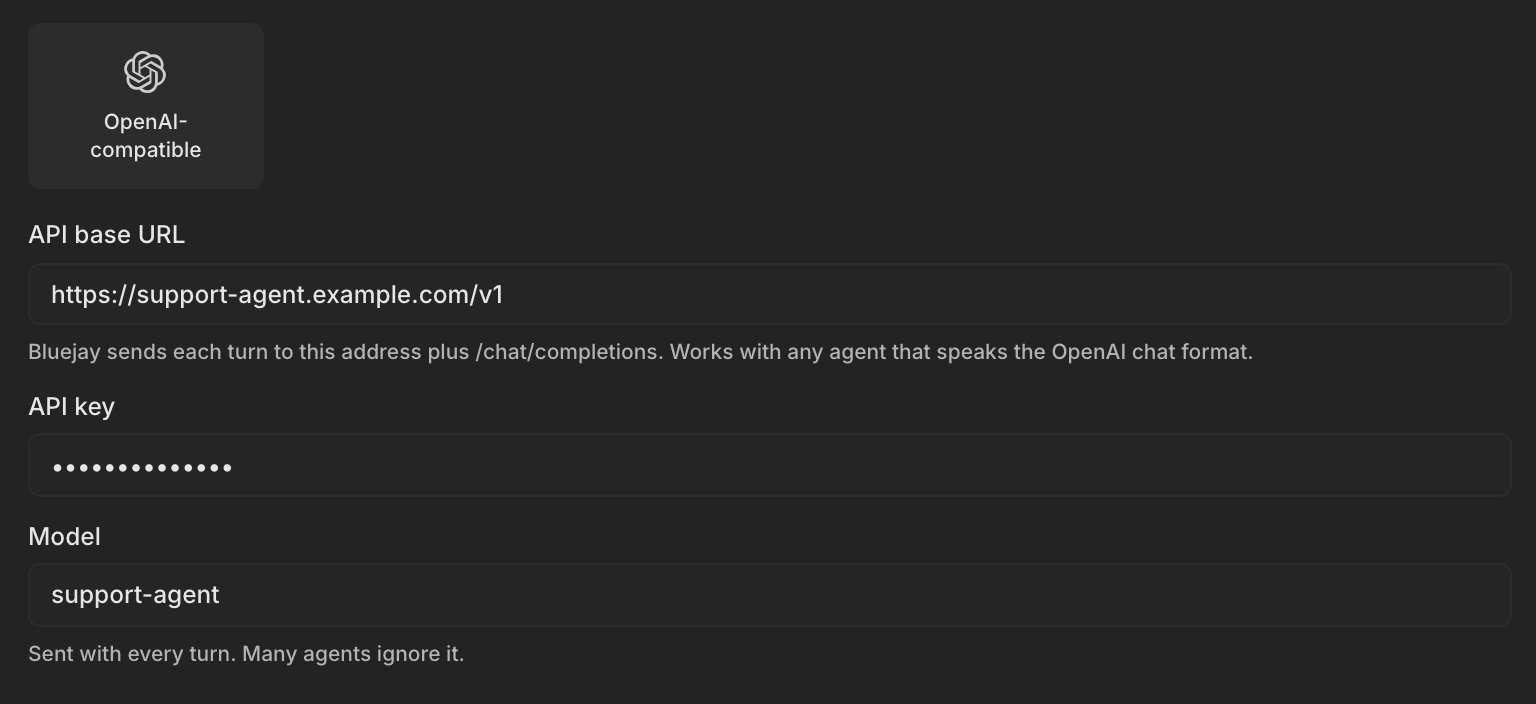
Create a Text agent with the OpenAI-compatible connection type:
- API base URL: for example
https://your-agent.example.com/v1. Bluejay adds/chat/completionsitself, so leave that part off. - API key: Bluejay sends it as
Authorization: Bearer <key>and stores it encrypted. Leave it empty if your agent needs no key. - Model: the
modelvalue in each request. If you leave it empty, Bluejay sendsdefault. Many agents ignore this value.
connection_type set to OPENAI_CHAT, and set openai_base_url, openai_api_key, and openai_model.2
Run a simulation
Add the agent to a simulation and run it. Your agent needs no webhook or callback to Bluejay. To queue runs from the API, use
/v1/queue-http-text-simulation-run.How a conversation runs
Bluejay sends each Digital Human message to your endpoint and reads your agent’s reply from the response. The Digital Human always sends the first message. Each request holds the whole conversation so far, because the chat completions format keeps no state between requests. Digital Human messages have theuser role and your agent’s earlier replies have the assistant role. Bluejay sends no system message, so your agent uses its own instructions.
"stream": false, so return the whole reply in one response. Bluejay reads the reply from choices[0].message.content, as a string or as a list of text parts. The Digital Human then answers, and the loop continues until one side ends the conversation.
- Your agent ends it: return
"finish_reason": "stop_conversation"on the reply. Bluejay then ends and evaluates the conversation right away. - The Digital Human ends it: Bluejay ends the conversation and sends no further requests.
id in the conversation’s metadata, so you can match a result to your own logs.
Tool calls
Your agent runs its own tools. Bluejay does not run them and does not send tool results back. To have the tools that your agent ran show up in the conversation, list them intool_calls on the reply message. Bluejay reads each call’s function.name and function.arguments, and also an output field next to the call if you add one, so custom metrics can check what the tool returned.
Traces
Each request carries a W3Ctraceparent header with a new trace ID, and Bluejay saves that ID on the conversation. If your agent uses OpenTelemetry and sends its traces to Bluejay, its spans continue that trace and appear next to the conversation, so you do not need to link them yourself.
Monitor
This connection runs tests only. To score your agent’s production conversations, send them to Bluejay as described in Logs.Limits
- The connection is inbound only, because the Digital Human always sends the first message. An agent created as Outbound through the API never starts a conversation.
- Bluejay waits 10 seconds to connect and up to 10 minutes for each reply.
- A failed turn is not retried. If your endpoint cannot be reached, returns a
4xxor5xxstatus, or returns a body that is not JSON, the conversation waits and then ends after the simulation’s inactivity timeout, 5 minutes by default.