

Quick Prerequisites
- Bland Phone Number
- Bland Webhook Secret
- A Bluejay Account
Setting Up the Integration
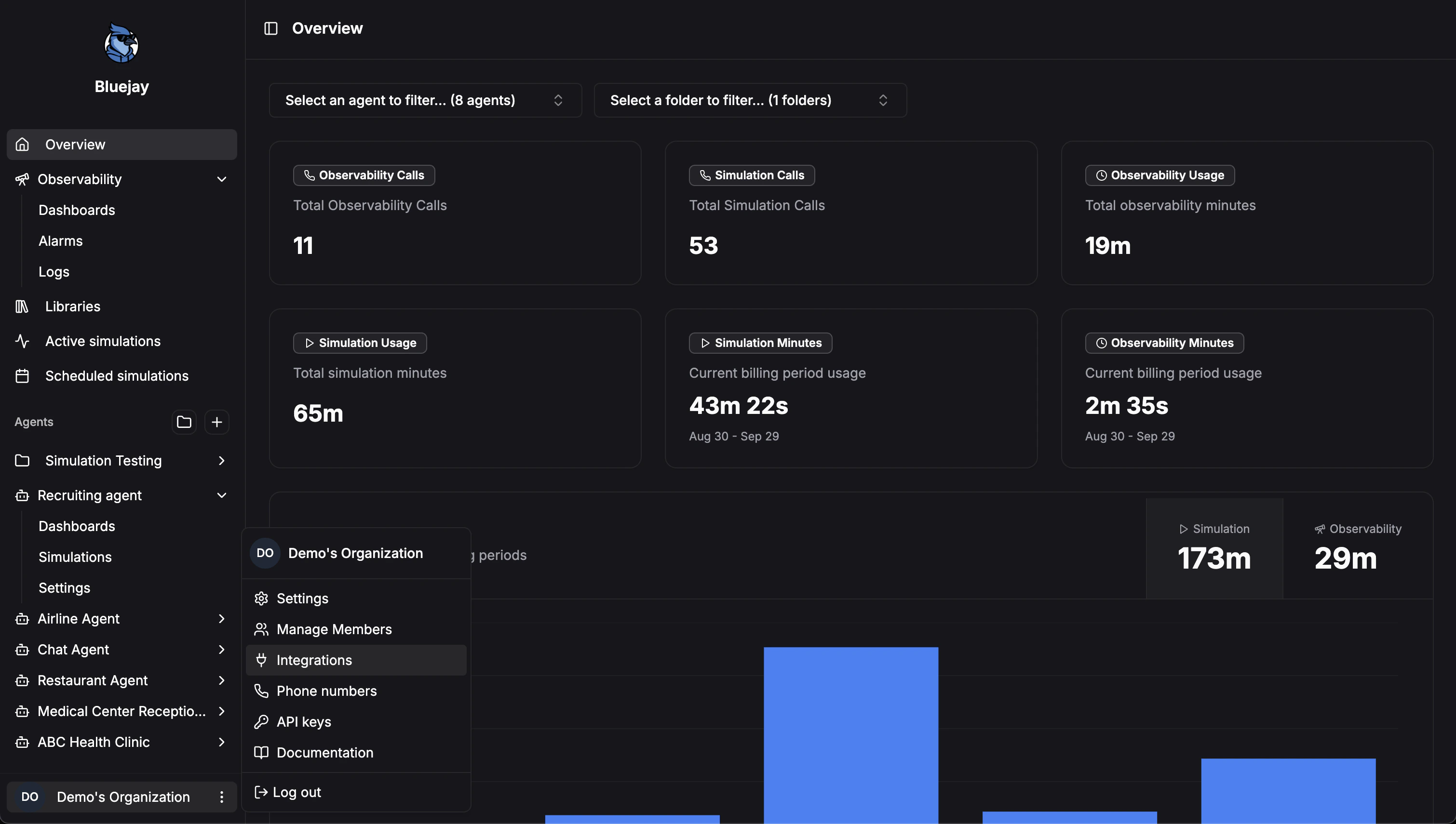
1. Configure Organization Settings
- Log into your Bluejay Dashboard
- Click Settings in the bottom left corner
- Open the Integrations tab and select Bland
2. Adding Your Bland Key
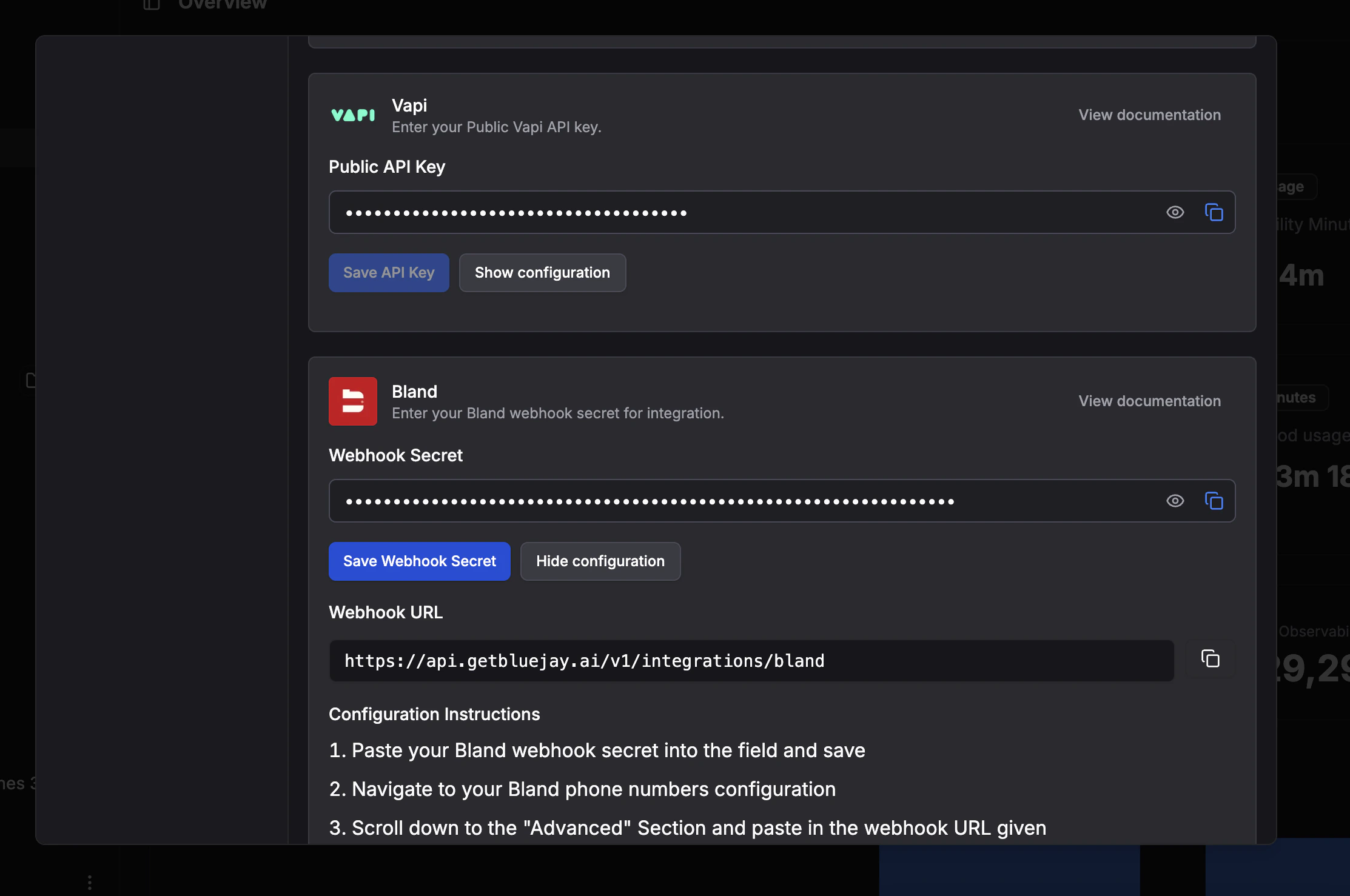
- Generate your Bland webhook signing secret in Bland, under the “General” tab of your organization’s settings
- Paste it into the Webhook Secret field
- Click Save Changes
3. Configuring Your Agent in Bland
- Copy the Webhook URL given in the Webhook configuration dropdown
- Navigate to your Bland Phone Numbers configuration screen and scroll down to the Advanced dropdown
- Paste the Webhook URL into the Webhook URL field
- Click Save Inbound Call Changes
4. Configuring Your Agent in Bluejay
- Open your agent’s settings and go to the Connection Settings tab
- Choose the Phone tile under Voice connection type
- Paste your Bland phone number into the Phone Number field, in full international format (e.g.
+15551234567) - Click Save Changes