Use this type when your agent calls businesses that answer with a phone menu, for example “Press 1 for billing”.

Build the flow

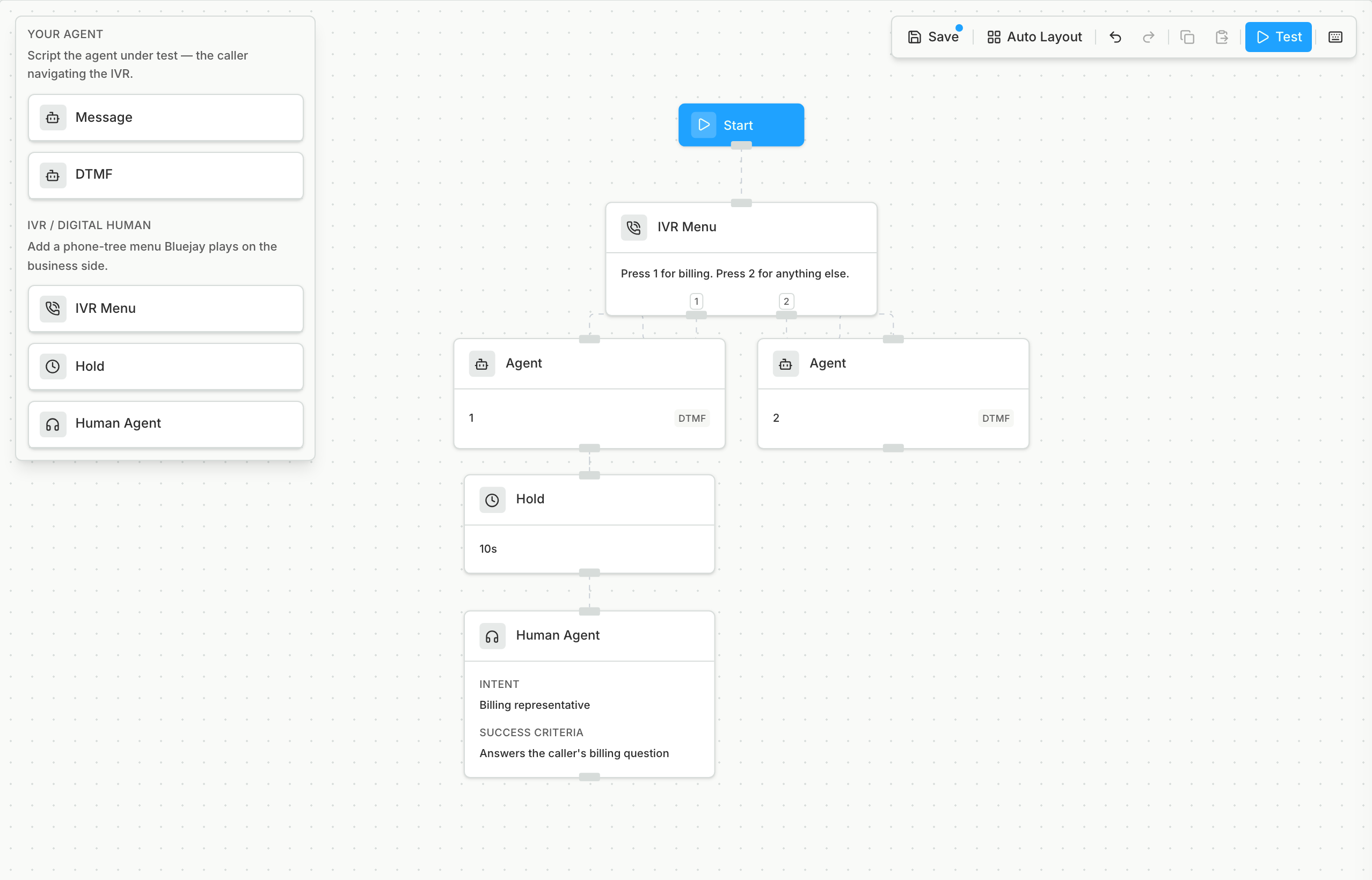
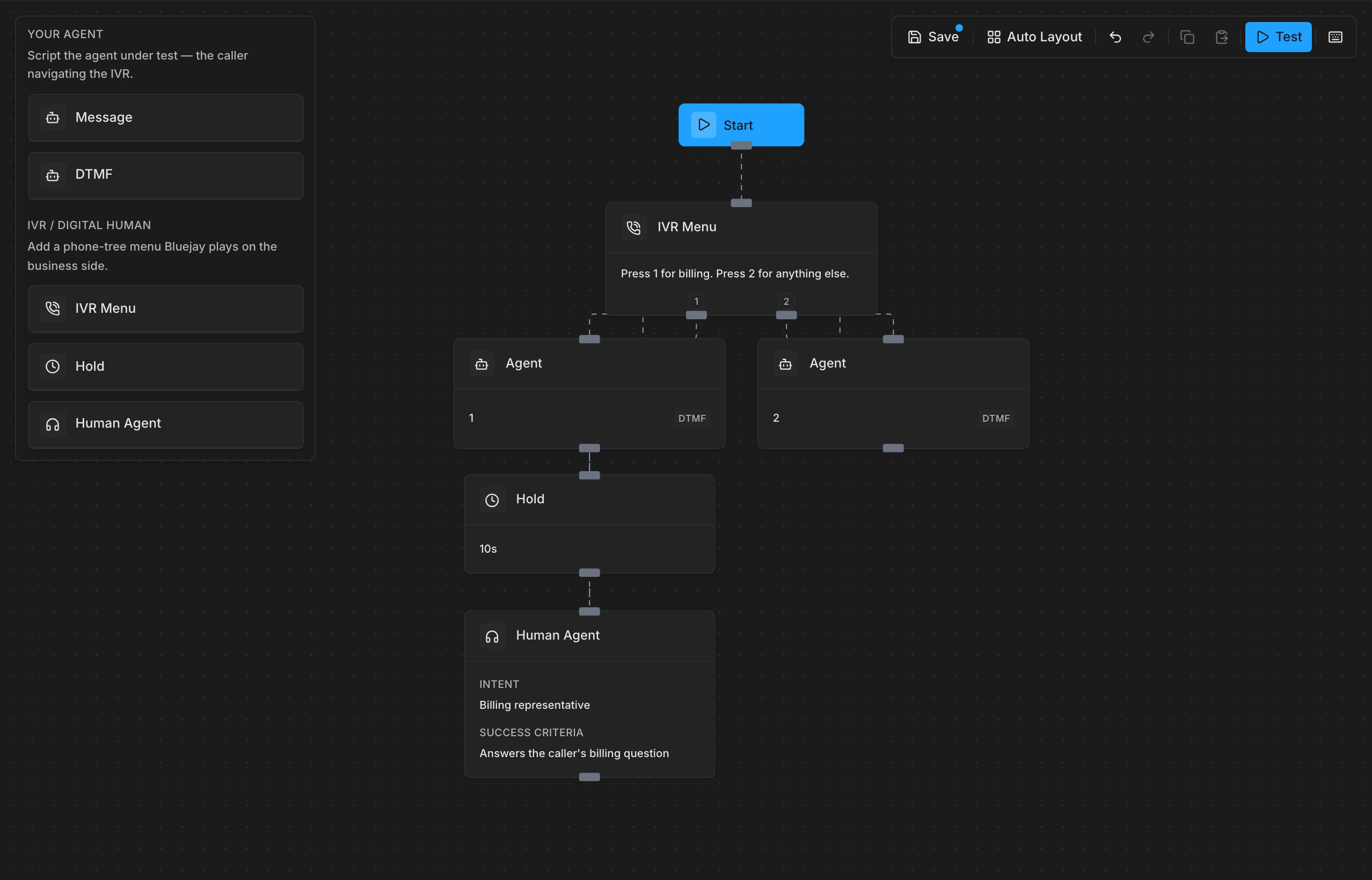
In Scenario Builder, draw the phone menu and what your agent does at each step. The Digital Human plays this menu, and your agent calls through it. Scenario Builder with an IVR Menu that offers options 1 and 2, an Agent DTMF node for each key, a 10-second Hold, and a Human Agent with an intent and success criteria Scenario Builder with an IVR Menu that offers options 1 and 2, an Agent DTMF node for each key, a 10-second Hold, and a Human Agent with an intent and success criteria For a full example, see Test an Agent That Calls Through a Phone Menu.
Run it

1

Select the card

Create a simulation and select the IVR Flow card.IVR Flow card in the Create Simulation type pickerIVR Flow card in the Create Simulation type picker
2

Pick the IVR Flows

Each IVR Flow becomes one Digital Human that goes through the whole phone menu in one call.

Limits

  • Outbound voice agents only.
Last modified on October 21, 2026