

Connect
Sierra has no agent list that Bluejay can sync, so you connect each agent by hand.1
Save the headless API token
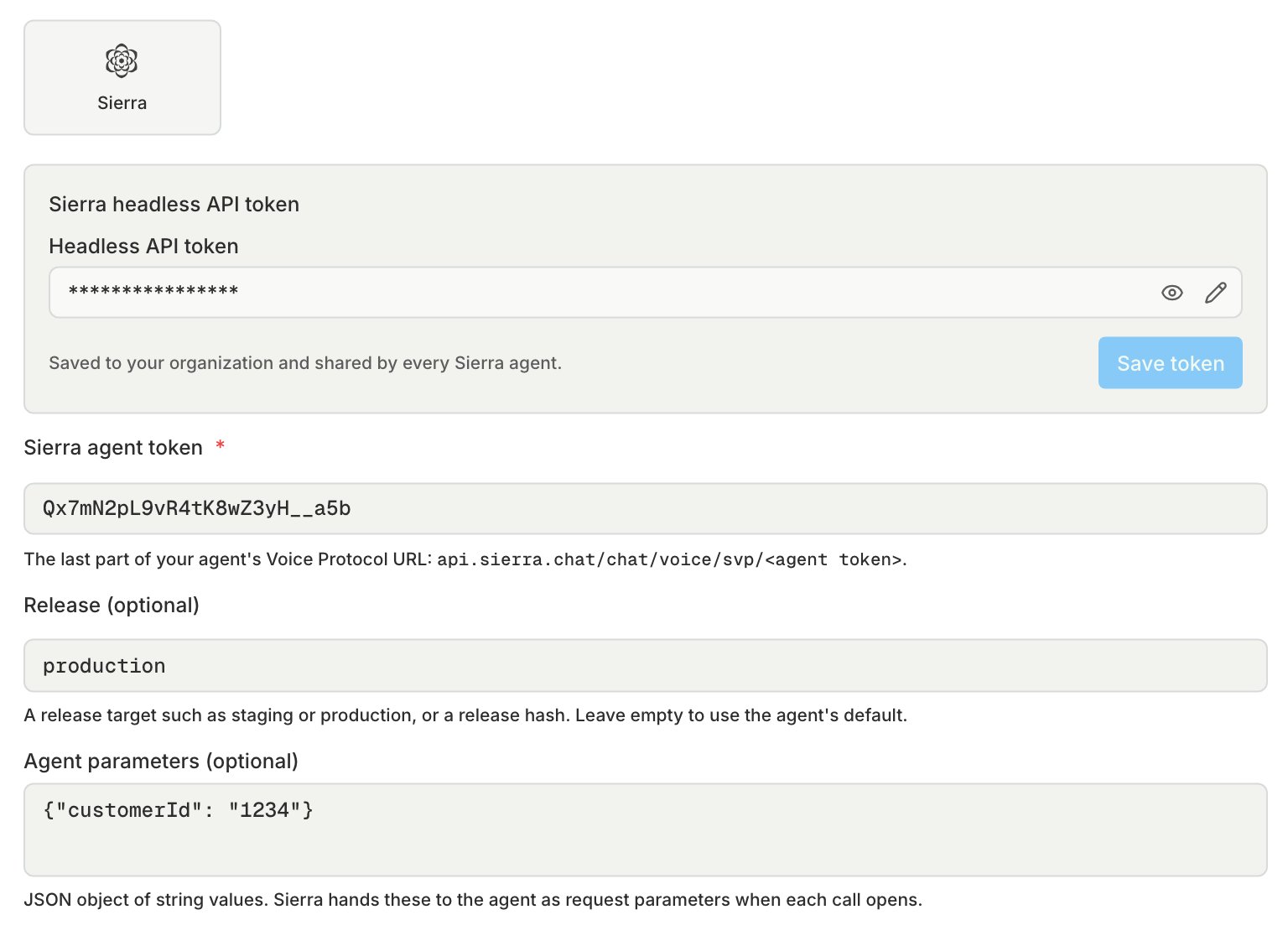
In Sierra, open the Voice Protocol page and click Create API token. Copy the token right away, because Sierra shows it only once. In Bluejay, open Settings → Integrations and choose the Sierra tab. Paste the token there. Every Sierra agent in your organization uses this token.
2
Connect the agent
Create a voice agent with the Sierra connection type.
- Sierra agent token: the last part of the agent’s Voice Protocol URL, .
- Release: a release target such as
stagingorproduction, or a release hash. Leave it empty to use the agent’s default release. - Agent parameters: a JSON object of string values, such as
{"customerId": "1234"}. Sierra hands these to the agent as request parameters when each call opens. A number or a list is rejected when you save. The object holds at most 512 entries, and each key and value is limited to 16 KB.