

Connect
OpenAI has no agent list that Bluejay can sync, so you connect each agent by hand.1
Create the agent
Create an Inbound voice agent with the OpenAI Realtime connection type. Bluejay always opens the session to your agent, so your agent never places the call.
2
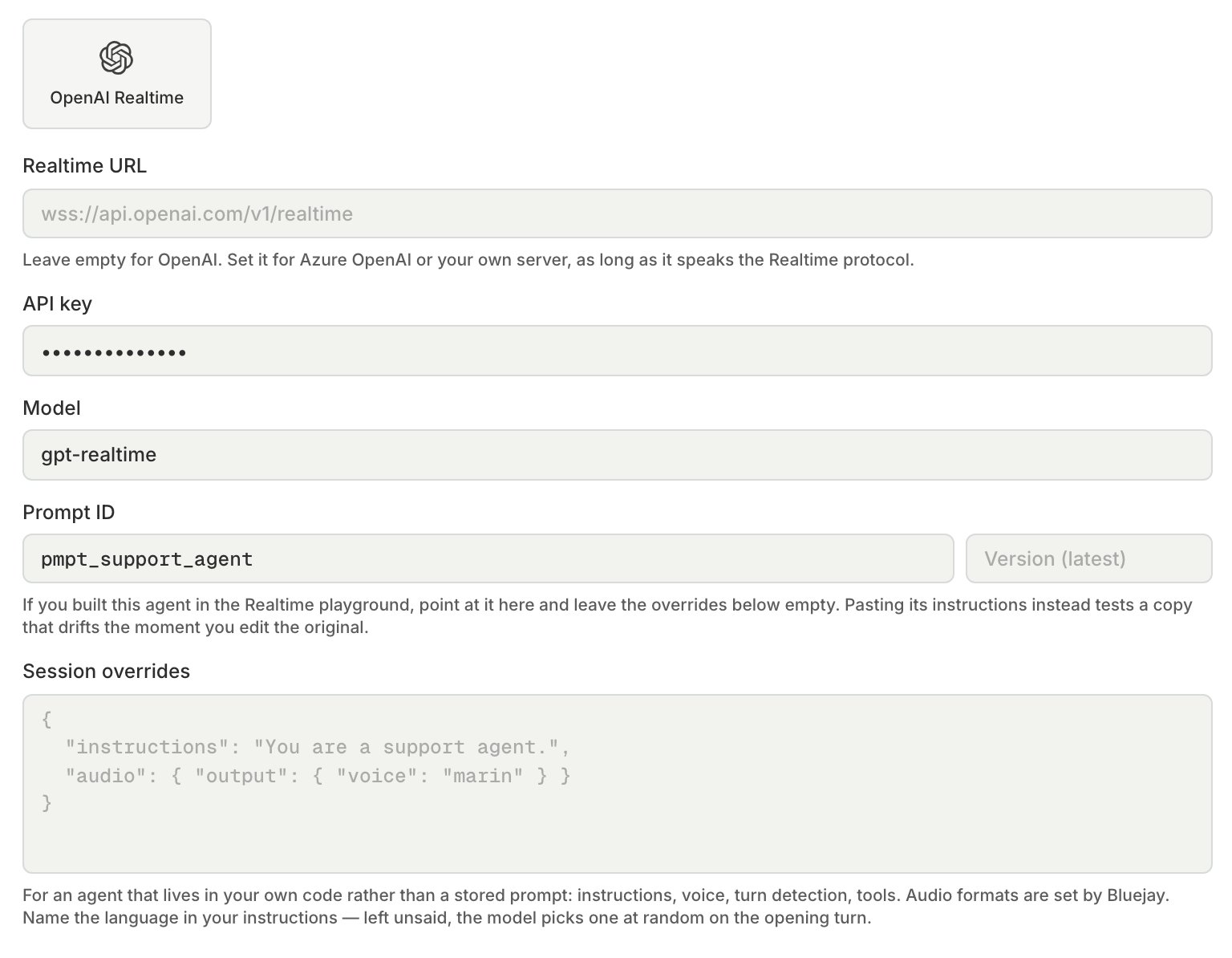
Point Bluejay at your endpoint
- Realtime URL (optional): leave it empty to use OpenAI’s own endpoint, . Set it for Azure OpenAI or your own server. Bluejay adds
?model=to the URL unless the URL already has amodelparameter. - API key: Bluejay sends it as
Authorization: Bearer. Bluejay stores it encrypted, and you cannot read it back. - Model (optional): Bluejay uses
gpt-realtimewhen you leave it empty.
3
Choose where the agent's setup comes from
- If you built the agent in the OpenAI Realtime playground, enter its stored prompt () in Prompt ID and leave Session overrides empty. Bluejay then tests the prompt itself, so your later edits in OpenAI show up in the next test. Add a version to pin one, or leave it empty to use the prompt’s current version.
- If the agent lives in your own code, put its session in Session overrides as a JSON object, such as
instructions, the voice, turn detection, and tools. Name the agent’s language in the instructions, because without one the model can pick a different language on each opening turn.
model or prompt key in the session overrides. Bluejay always sets the audio format to 24 kHz PCM in both directions, and you cannot change it.
Through the API, set connection_type to OPENAI_REALTIME on add agent, and set these fields:
openai_realtime_urlopenai_api_keyopenai_modelopenai_prompt_idopenai_prompt_versionopenai_realtime_session
Test
Run a simulation on the agent as you would for any voice agent. Bluejay asks your agent for an opening response, so your agent speaks first. When the Digital Human interrupts, Bluejay drops the agent audio that has not played yet. The transcript comes from Bluejay’s own speech-to-text, not from OpenAI’s transcript. Bluejay saves the OpenAI session ID with the result. If OpenAI sends an error during the call, Bluejay records it in the result metadata under .Monitor
Bluejay does not receive your production Realtime sessions. To score them, send each conversation toPOST /v1/evaluate after it ends. See Logs.