

Connect
1
Save the LiveKit keys
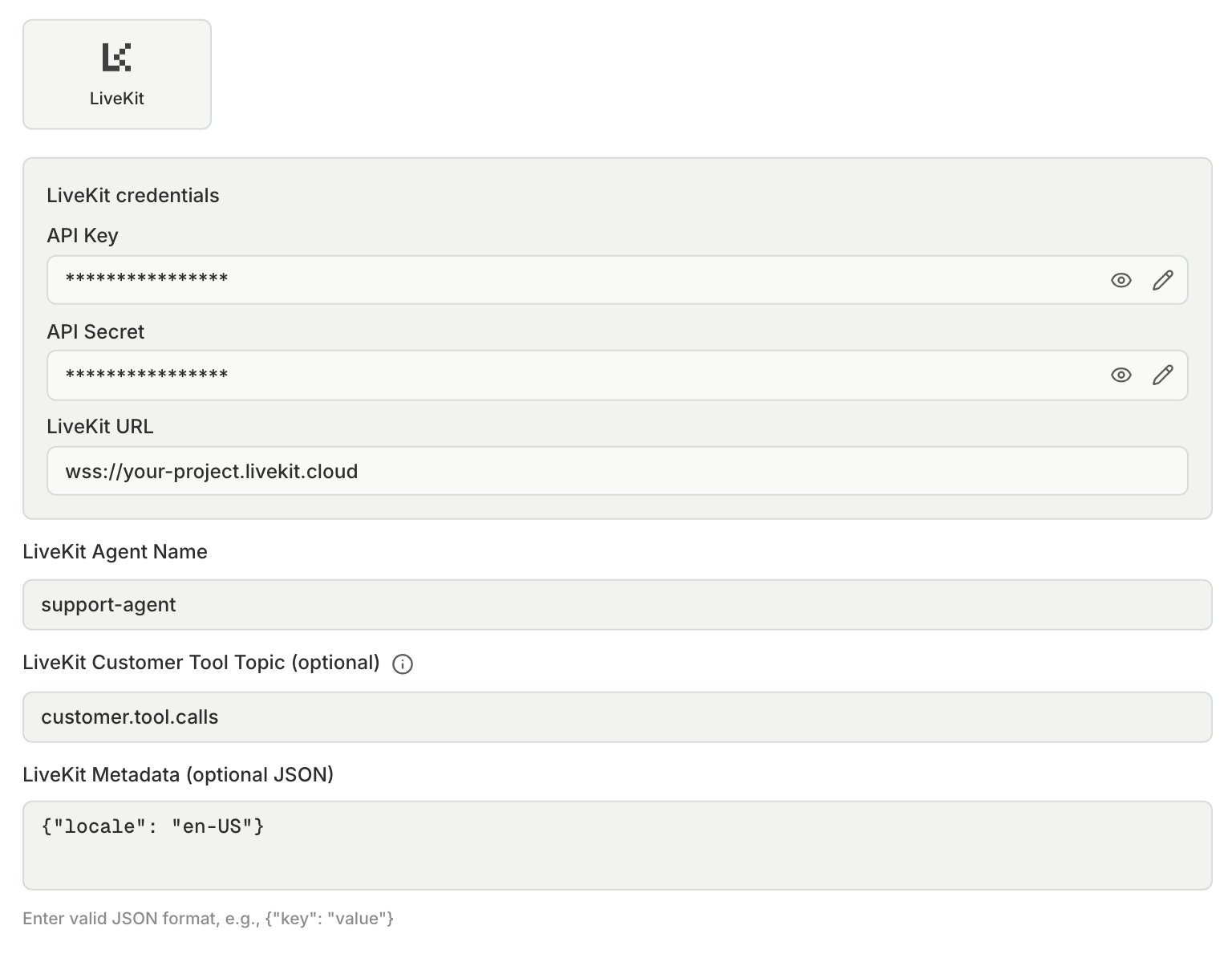
In LiveKit Cloud, open Settings > API keys and copy the API key, API secret, and server URL. The URL looks like
wss://your-project.livekit.cloud. In Bluejay, open Settings → Integrations and choose the LiveKit tab. Paste them there. Skip this step if your server will issue room tokens through a token webhook.2
Create the agent
Create a Voice agent with the LiveKit connection type:
- LiveKit Agent Name: the name your worker registers with. Leave it empty only if your worker uses automatic dispatch, because Bluejay then dispatches no agent.
- LiveKit Customer Tool Topic (Optional): set it to record tool calls. See Tool calls.
- LiveKit Metadata (Optional JSON): Bluejay sends it as the job metadata when it dispatches your agent, with each Digital Human’s
livekit_metadatamerged over it and the simulation IDs added, such asX-Simulation-Result-Id.
3
Choose how Bluejay joins the room
In the agent’s Connection Settings, set Authentication:
- API Key: Bluejay creates the room token with the keys you saved.
- Token Webhook: your server creates the room token, so Bluejay stores no LiveKit keys. Put the full header value in Authorization Header (Optional), scheme included, for example
Bearer <token>. See Token webhook.
Test
- Direct
- SIP
- Outbound
Use this path to iterate on agent logic without phone audio. Bluejay creates a room in your LiveKit project and dispatches your agent into it, so you need no phone number. An agent with the LiveKit connection type, set up as in Connect, uses this path.
Token webhook
With Token Webhook authentication, Bluejay sends aPOST to the Token Webhook URL before each call:
Make sure your agent is dispatched. Put a
RoomAgentDispatch in the token room configuration, or dispatch the agent from your server.
Bluejay waits 15 seconds for the response. If the request times out or returns 408, 429, or a 5xx status, Bluejay tries again, up to 3 attempts in total. If your endpoint returns 401 or 403, Bluejay does not try again, and the run fails with NO_CONNECTION and LIVEKIT_SESSION_SETUP_FAILED.
Tool calls
To record your agent’s tool calls in a simulation, set LiveKit Customer Tool Topic, then have your agent publish one data packet on that topic each time it calls a tool. Bluejay saves the packets when the simulation ends.Traces
To see your agent’s traces on a simulation result, export OpenTelemetry traces to Bluejay, then link them to the result when the call shuts down.on_shutdown: span.end(), then force_flush(), then the POST, then shutdown(). If you send the POST before the flush, the trace can be missing. See Traces.
Monitor
To score your live calls, send them with the LiveKit webhook or from your agent through the API. Use the API if you need tool calls.- Webhook
- API
LiveKit sends every call in the project to Bluejay. This path does not capture tool calls.On the first call with a new dispatch name, Bluejay creates an agent for it. If you refresh the webhook URL in Bluejay, the old URL stops working, so update it in LiveKit Cloud too.
1
Copy the webhook URL
In Bluejay, open Settings → Integrations and choose the LiveKit tab. Save your LiveKit keys, then copy the webhook URL from Show configuration.
2
Add the webhook in LiveKit Cloud
In LiveKit Cloud, go to Settings > Webhooks and add the URL, signed with your API key.
3
Set a dispatch name
Make sure your agent has a dispatch name (
agent_name in WorkerOptions).