

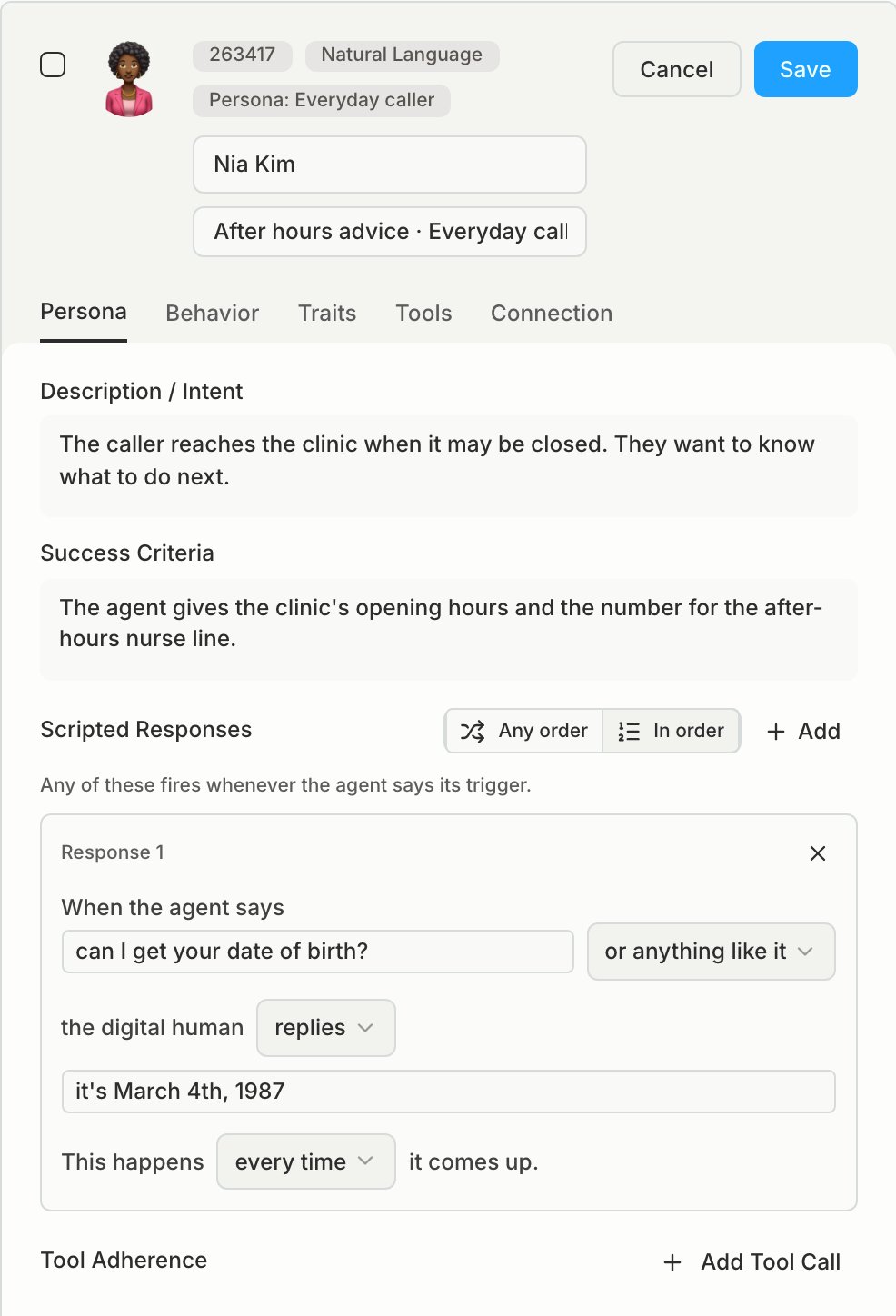
Persona
Persona settings decide what each conversation is about and how Bluejay grades it.
Keep agent behavior and “if X, do Y” rules out of the intent. The model treats them only as suggestions, so use the fields in Make runs repeatable instead.
Behavior
Use behavior settings to test whether your agent copes with harder callers, for example a fast talker on a bad connection.- Patience (seconds) is how long the caller waits before it replies.
- No Response Timeout (seconds) must be 15 seconds or more.
- Speaks First: the Digital Human speaks first unless you change it. Some voice platform connections start with the agent.
Traits
A trait is a fact that the caller knows and says when the agent asks, for example a member ID or date of birth. Use a trait when the value must be the same on each run. If you write the value in the intent instead, the caller can say a different value on each run. Define a trait for one agent on the Customer Traits page, then set its value on each of that agent’s Digital Humans. A trait can also go out as a SIP header on the call. The header name is the trait name with anX- prefix.
When you change a trait, select Update Existing Digital Humans to apply the change to all Digital Humans of the agent. Otherwise only new Digital Humans get the change.
Tools
- End Conversation (On Trigger Phrases) ends the call when the agent says one of the phrases.
- Default Number Submission Mode applies when the agent does not say how to enter a number.
Connection
- Phone number must be a number your organization owns.
- Extension is the keys the Digital Human presses after the call connects to an inbound agent, for example
1,2. A comma adds a short pause. - Always On makes the Digital Human answer calls on its phone number.
Scripted responses
A scripted response makes a reply the same on each run. Each one pairs a line the agent says with the caller’s reply: words, keypad tones, silence, or an audio clip.- Under When the agent says, write a line the agent says, for example “Can I have your account number?”. A description of agent behavior never matches.
- Matching on context also catches lines with the same meaning, not only the exact words.
- If How scripted responses fire runs them in order, each one fires once, in list order.
Personalities
A Personality configures how Digital Humans behave. Use Personalities when you want to test the same goal with different callers. When you select Personalities on a simulation, each Digital Human in the run calls once as itself and once for each Personality. A Personality changes only the fields that you set on it, for example the Personality text, voice, background noise, or the behavior fields. All other fields come from the Digital Human. A Personality never changes the intent or the success criteria, so each call still tests the same goal. The simulation saves its Personality selection, so the next run uses the same set.Limits
- A customer journey does not run once for each Personality.
- A change to a Personality applies to future runs only.
- If you delete a Personality, Bluejay removes it from each simulation that selects it.
Communities
A Community is a saved group of Digital Humans that you can reuse in any simulation, which makes it a test suite for an agent or a flow. Group the Digital Humans that cover one agent or one flow into a Community. Select the Community when you create a simulation, so each agent version runs against the same callers and the results compare directly. When an agent fails on a real conversation, create a Digital Human that recreates the failure and add it to the Community. The next run then tests for that failure again.Write a good Digital Human
- Test one goal in each Digital Human. Booking, rescheduling, and cancelling are three Digital Humans.
- Write Description / Intent as what the caller wants. If you write “correctly” or “successfully”, that text describes the agent, so move it to Success Criteria.
- Write Success Criteria as an agent outcome that the transcript can show.
- Put grading that applies to every call in a custom metric, not in Success Criteria.
Make runs repeatable
An “if the agent says X, the caller does Y” rule in the intent is only a suggestion to the model, so the caller may not follow it on every run. Move it to the setting that fixes it:
Before you create a batch, create one Digital Human, run it, and read the transcript. Bluejay accepts a configuration that has no effect, for example a scripted response that never matches, so the transcript is where you see whether each setting worked.
To test a phone tree, draw an IVR Flow on the Scenario Builder page and run it with the IVR Flow simulation type.