

When to Reach for a CSV Upload
Uploading a CSV
1
Open the upload panel
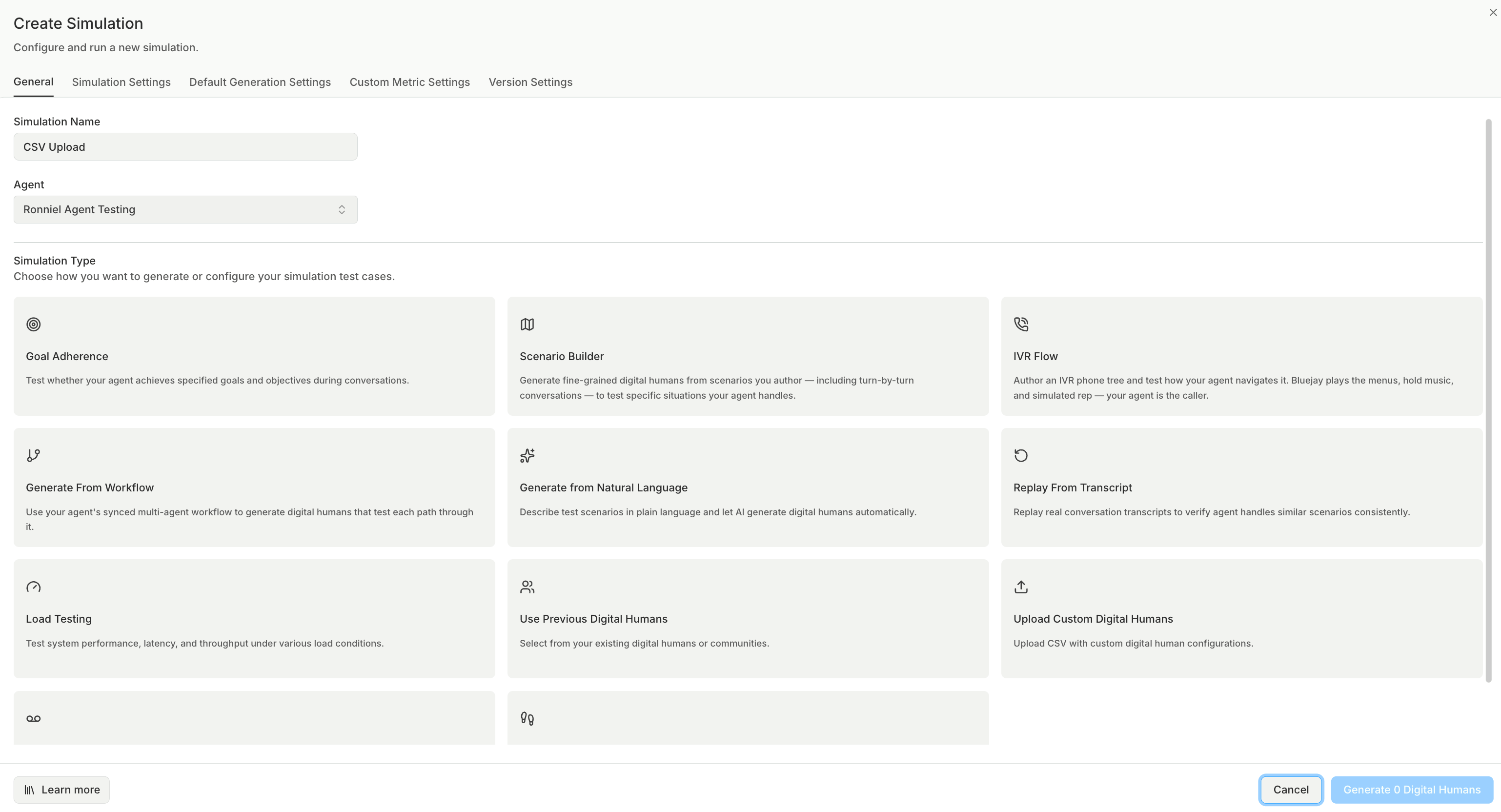
Go to Simulations → Create Simulation, pick your agent, and choose the Upload Custom Digital Humans card (upload icon) in the type grid.
2
Download the sample template
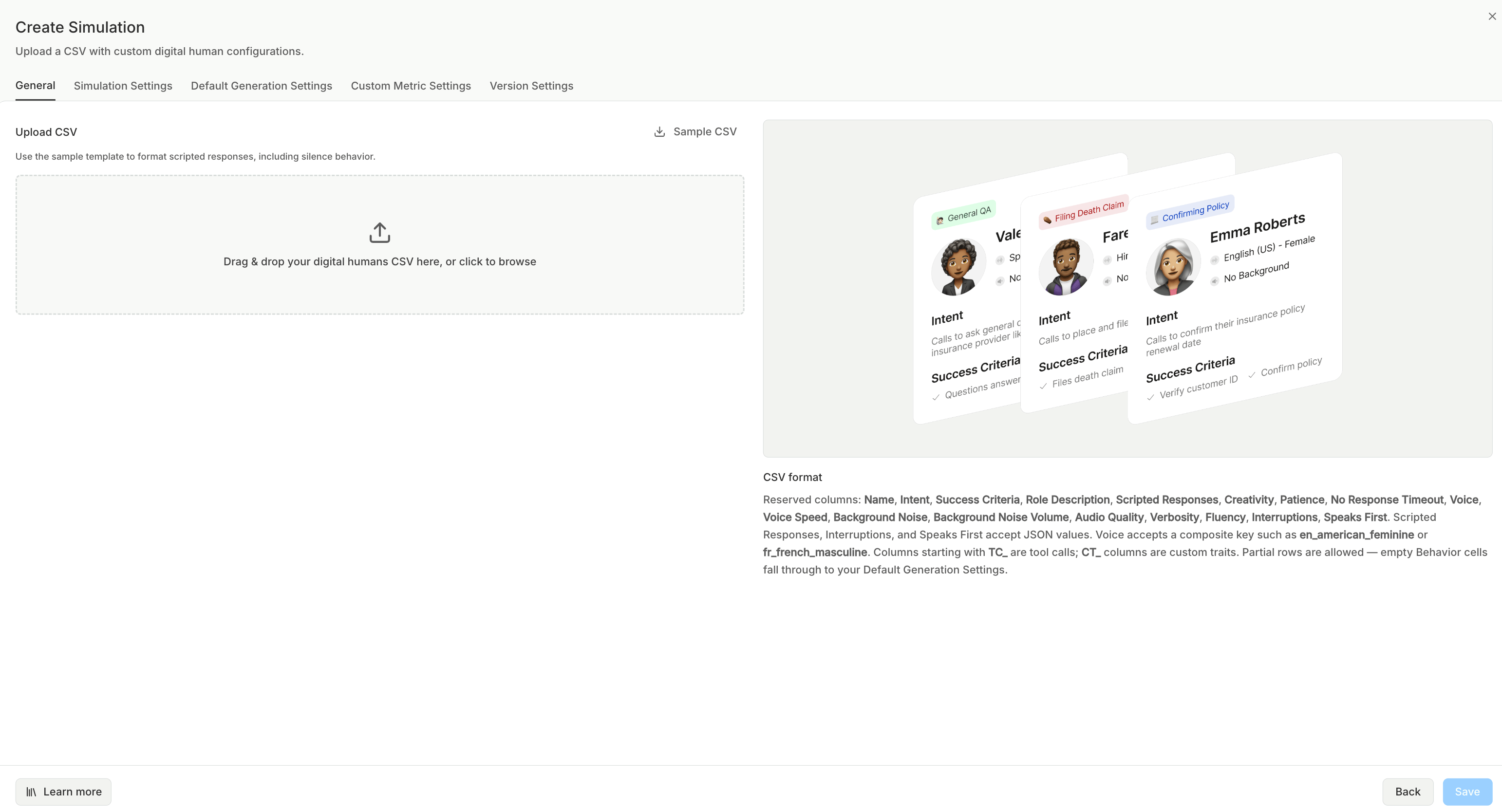
Click Sample CSV to download
sample_digital_humans.csv. It contains the full set of supported column headers plus two worked example rows. Start from this rather than building the header row by hand.3
Fill in your rows
One Digital Human per row. Only the columns you care about are required; every blank cell falls back to a sensible default (see Partial rows).
4
Upload the file
Drag and drop the
.csv onto the dropzone, or click to browse. Only .csv files are accepted.5
Review and run
On success the panel reads “N Digital Humans will be generated.” Continue the Create Simulation flow to review the population and launch the run. Use Upload different file to swap in a corrected CSV.
CSV Format
- The first non-empty row is the header. The file needs a header row plus at least one data row.
- Column headers are matched case-insensitively and trimmed. Columns Bluejay doesn’t recognize are ignored, so you can keep your own notes columns in the file.
- Fully blank rows are skipped.
TC_ prefix), and custom traits (CT_ prefix).
Core columns
Behavior columns
These mirror the levers on the manual configuration screen. Leave a cell blank to keep the default.Tool call columns (TC_)
Any column whose header starts with TC_ defines an expected tool call. The tool name is whatever follows the prefix, so TC_lookup_account expects a call to lookup_account. The cell value can be either:
- A plain string, treated as the expected tool output (e.g.
account_lookup_completed). - A JSON object with
outputand/orparameterskeys (e.g.{"output":"identity_verified"}or{"parameters":{"account_id":"12345"}}). If the object has neither key, the whole object is treated as the expectedparameters.
Custom trait columns (CT_)
Any column whose header starts with CT_ defines a custom trait. The trait name is whatever follows the prefix, so CT_customer_tier becomes a trait named customer_tier. The cell is the trait value (parsed as JSON when it looks like JSON, otherwise stored as a plain string).
Partial rows and defaults
Rows can be sparse, so a row with justIntent and one TC_ column is perfectly valid. Empty behavior cells (voice, creativity, interruptions, and the rest) fall through to the simulation’s Default Generation Settings; name and avatar are auto-assigned when omitted. Every row produces a runnable Digital Human.
JSON Column Formats
Three columns take JSON. You can author these in a spreadsheet (Bluejay will auto-repair the most common quoting mistakes), but the Sample CSV is the easiest starting point.Scripted Responses
Make a Digital Human reply deterministically when your agent says (or means) something specific. The cell is either a single JSON object or an array of objects. Each object supports:Example: array of two rules
Audio scripted responses (playing an uploaded clip) can’t be attached through a CSV because there’s no file to reference. Add those in the scripted-responses editor after import.
Interruptions
A single JSON object keyed byinterruptions_type:
- none
- probabilistic
- keyword
- llm (contextual)
Speaks First
Controls whether the Digital Human opens the conversation:speaks_first: AI-generated opener
speaks_first: custom opener
Agent speaks first
speaks_first is true, mode must be ai_generated or custom; custom requires a non-empty message.
Validation and auto-correction
Bluejay validates every row as it parses and reports issues without blocking the rows that are fine:- Per-row errors (an invalid enum value, an out-of-range number, malformed JSON, an unrecognized
Voicekey) surface in an error toast listing the first few problems and a count of the rest. The offending field is skipped or defaulted; the rest of the row still imports. - JSON auto-repair. JSON cells are parsed strictly first. If that fails, Bluejay makes a best-effort repair of the two most common spreadsheet mistakes (unescaped inner double-quotes, and raw newlines or tabs pasted into a cell), then re-parses. When a cell is repaired this way, a warning toast asks you to verify those rows, since the repair is a guess.
Next Steps
Configuration
The full set of behavior levers, explained. These are the same fields the CSV columns map to.
Use Cases
Real-world patterns for building effective Digital Human test suites.
Customer Journeys
Multi-step sequences run by a single persona. Another Create Simulation method.
Generate via API
Create Digital Humans programmatically with the generation endpoint.