

Ways to connect
How it connects
Bluejay places a live web call to your ElevenLabs agent over a WebSocket, so no phone number is needed and there’s no inbound/outbound setup to choose: the same connection tests agents that answer calls and agents that place them. Whether the agent or the Digital Human speaks first is controlled by the agent’sfirst_message and the persona’s speaks-first setting. Tool calls are pulled from ElevenLabs’ conversation history after the call ends.
Simulations always run against whatever is live on the agent (the Main branch). Edits on another branch don’t affect the call until you merge to Main.
Prerequisites
- An ElevenLabs API key
- At least one ElevenLabs agent
- A Bluejay account
Setup
1. Save your ElevenLabs API key
In Bluejay, go to Settings, then Integrations, then the Eleven Labs tab. Paste your API key and save. It’s stored once for your whole org.You can attach an agent with just its Agent ID, but the API key is required at run time to open the call. Without it the run fails with a missing-integration error.
2. Attach your ElevenLabs agent
Two options, and both import the agent’s name, prompt, and workflow:- Sync all your agents: in the same Integrations tab, click Sync Agents from ElevenLabs. Every agent in your account imports at once.
- Pick one: in Create Agent, choose the ElevenLabs connection type and select the agent from your account’s list.
3. Create a simulation
- Go to the Simulations page, click Create in the top right, and select your synced agent.
- Add or auto-generate Digital Human personas.
- If your agent uses a multi-agent workflow, choose Generate From Workflow instead: Bluejay lists every distinct path through the graph, and you pick how many Digital Humans to generate per path. Each one gets an intent that drives the agent down its assigned path.

4. Run it
- In the Simulations tab, click Run on the simulation you want to run.
- Click Run calls (the button shows the call count). Bluejay runs one call per Digital Human in the simulation.
- When the runs finish, review the transcript, tool calls, and metric scores for each call.
Editing the workflow in Bluejay
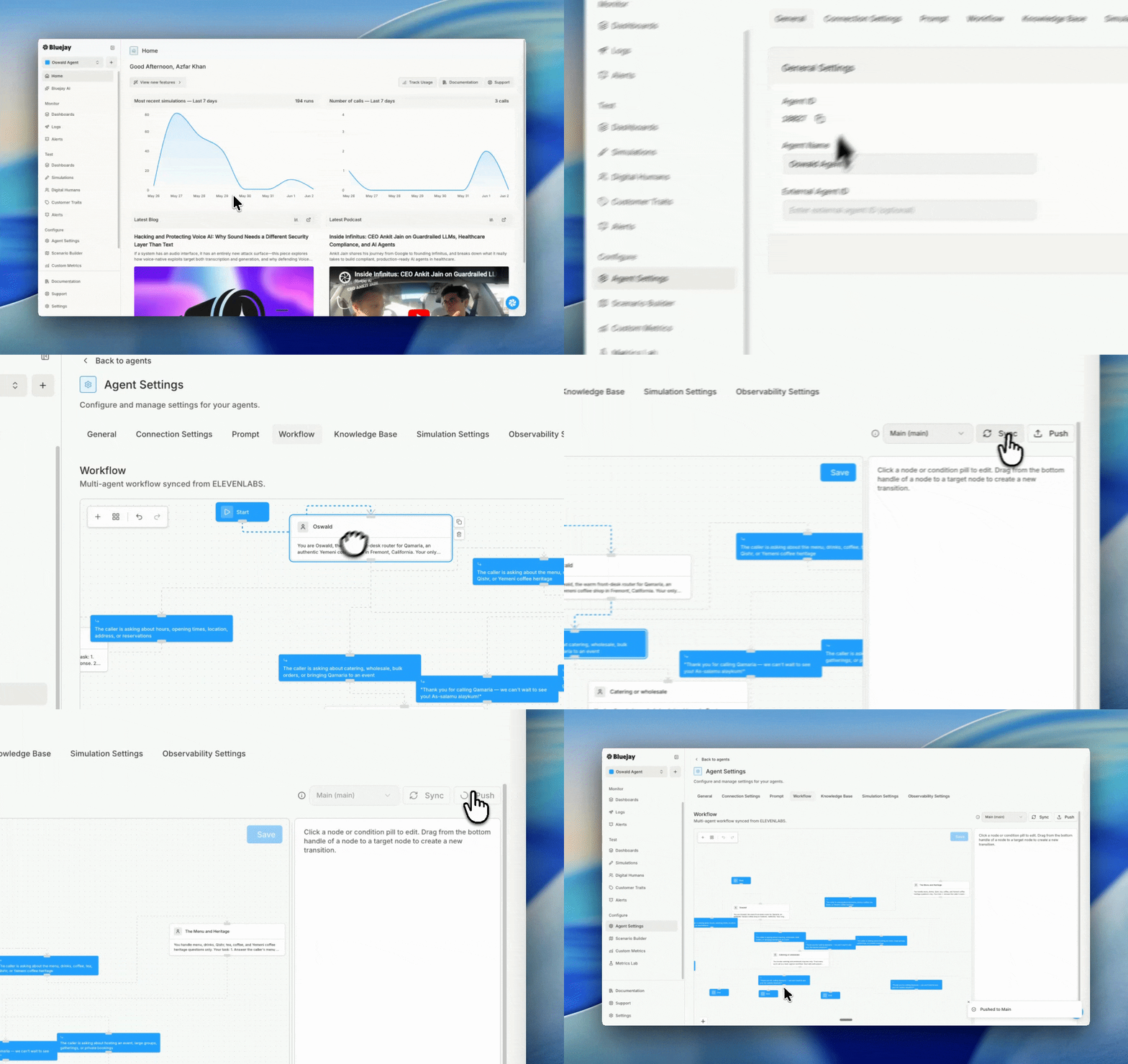
Synced multi-agent workflows appear in the Workflows tab of Agent Settings as an editable graph.- Sync pulls the latest workflow from ElevenLabs; Push sends your edits back; Branches switches branches and merges to Main.
- Click any node to edit its voice, model, tools, and edge conditions in a side panel.
- Drag between two nodes to draw a new edge, then click the Add condition pill to set its trigger.
Phone connection
If your ElevenLabs agent is attached to a phone number (through ElevenLabs’ Twilio or SIP trunk telephony), you can also test it the way a real caller reaches it.- Create an agent in Bluejay with type Inbound, mode Voice, and the Phone connection type.
- Paste the agent’s phone number in full international format (e.g.
+15551234567). - Create a simulation and run it. Bluejay dials the number and the Digital Human holds the conversation.
Troubleshooting
Resources
Self-Improve
Let Bluejay automatically diagnose failures and improve this agent’s prompt.
Simulation Overview
How simulations work in Bluejay, from setup to scoring.
Workflows
The provider-agnostic concept page for Bluejay’s Workflows feature.
Digital Humans
The personas that play the caller side in every Bluejay simulation.

ElevenLabs Observability
Connect production ElevenLabs calls to Bluejay for live monitoring.