

Prerequisites
- A Bluejay API key.
- An agent connected to your assistant.
- A simulation on that agent, with the Digital Humans you want to run.
api_key and simulation_id to the CI workflow.
Test an existing agent
Use this option unless CI makes a preview deployment for each PR. All runs go to the same simulation, so you can compare them.1
Add your API key and variables
In GitHub, under Settings > Secrets and variables > Actions, add your API key as a repository secret named
BLUEJAY_API_KEY, and add these repository variables:The simulation ID is in the simulation’s General Settings tab, and each Digital Human ID is on its card in the Digital Humans tab.
2
Create your workflow
Add
.github/workflows/bluejay-tests.yml to your repo:3
Trigger a simulation
Open a pull request. The action runs the simulation on each PR and shows the status and score in the PR checks.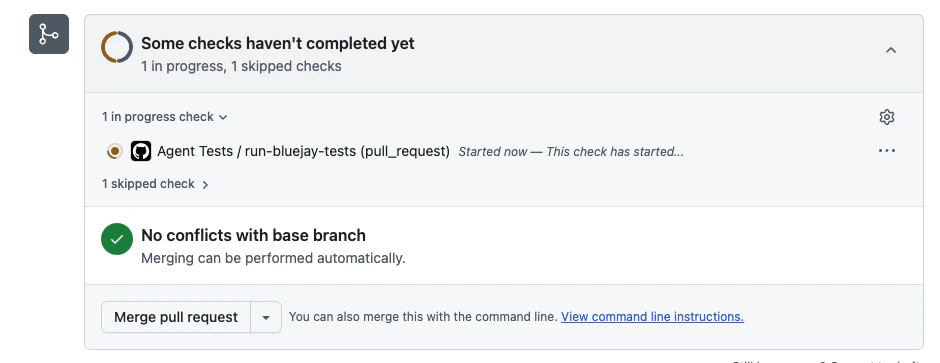
Test a preview deployment
Use this option if CI makes a preview deployment for each PR. For each PR, the workflow creates an agent and a simulation, runs the test, and then deletes both. Your Digital Humans are not deleted, because they are your test suite and every PR reuses them. In theadd-agent payload, replace <your connection field> with the field that tells Bluejay how to reach your preview deployment. Add Agent lists the connection fields.
For this option, set BLUEJAY_DIGITAL_HUMAN_IDS, for example 101,102, because a new simulation has no Digital Humans and the run fails without them.
Pin to a commit SHA
Some organizations require every third-party action to be pinned to a full-length commit SHA. If yours does, the workflow fails with “all actions must be pinned to a full-length commit SHA”. To find the commit forv1, run:
v1:
A SHA pin does not follow updates to
v1. To get fixes, run the command again and update the pin.Inputs
The step fails if the run does not complete, if the pass rate is below
min_score, or if timeout_seconds passes first. To only queue the run without checking the score, set wait_for_results to false.
Outputs
Triggers
To run the tests on a different event, change only theon: section. Any GitHub Actions trigger works. For example, to run daily at 09:00 UTC: